How do I register my trial version of Advanced SystemCare Ultimate?
Note: If you do not have the program installed, click here to download the latest version of Advanced SystemCare Ultimate and install it first.
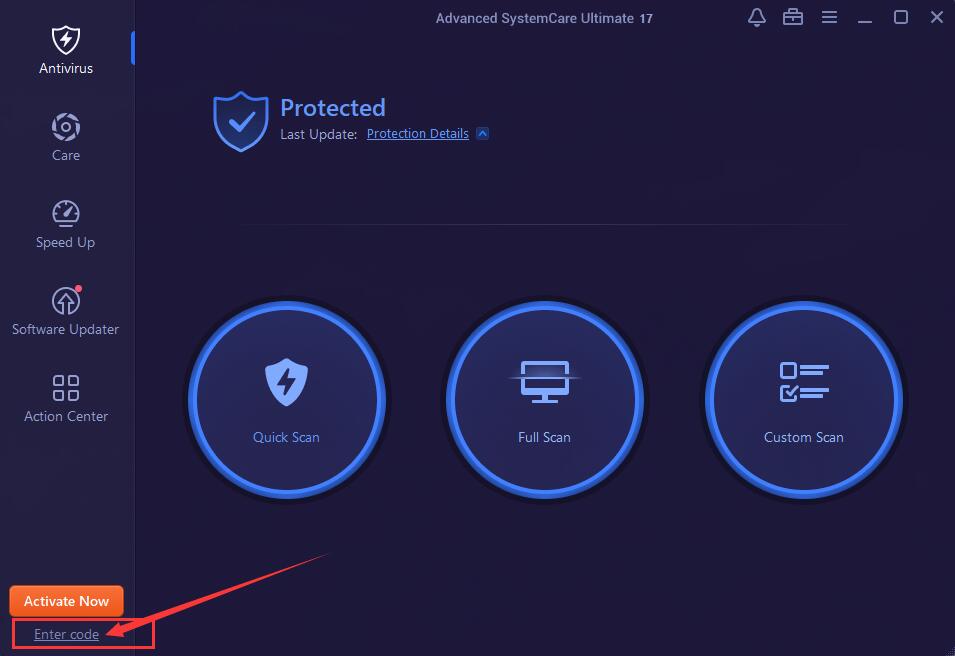
Step 1: Open your Advanced SystemCare Ultimate, and click the Enter code text link at the bottom left corner of the main screen to open the registration window.
Please refer to the picture below:
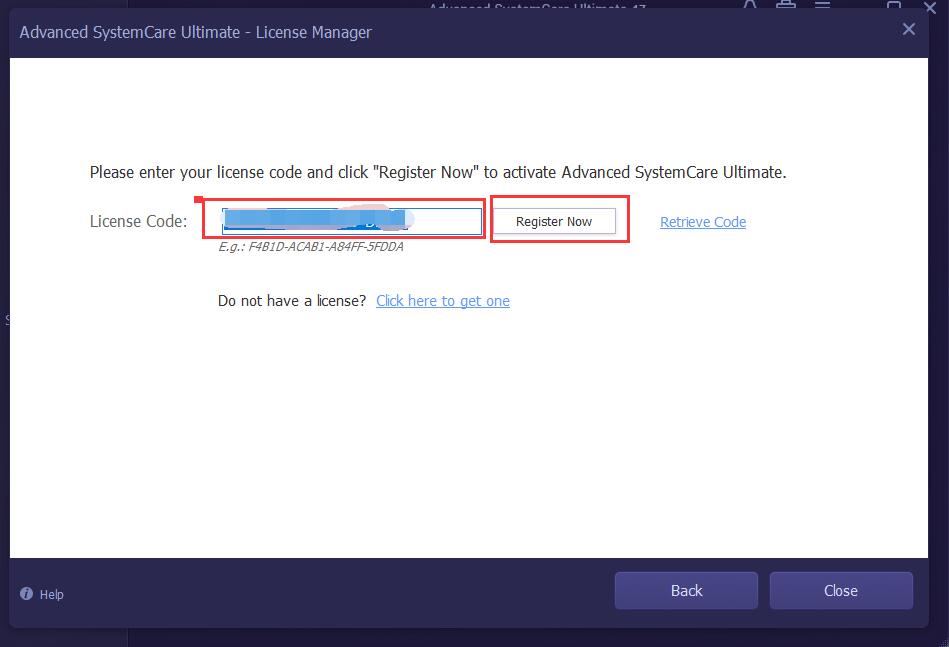
Step 2: Copy & Paste to enter your license code in the License Code box, and click the Register Now button to activate Advanced SystemCare Ultimate.
Please refer to the pictures below:
How do I register my Advanced SystemCare Ultimate when it's expired?
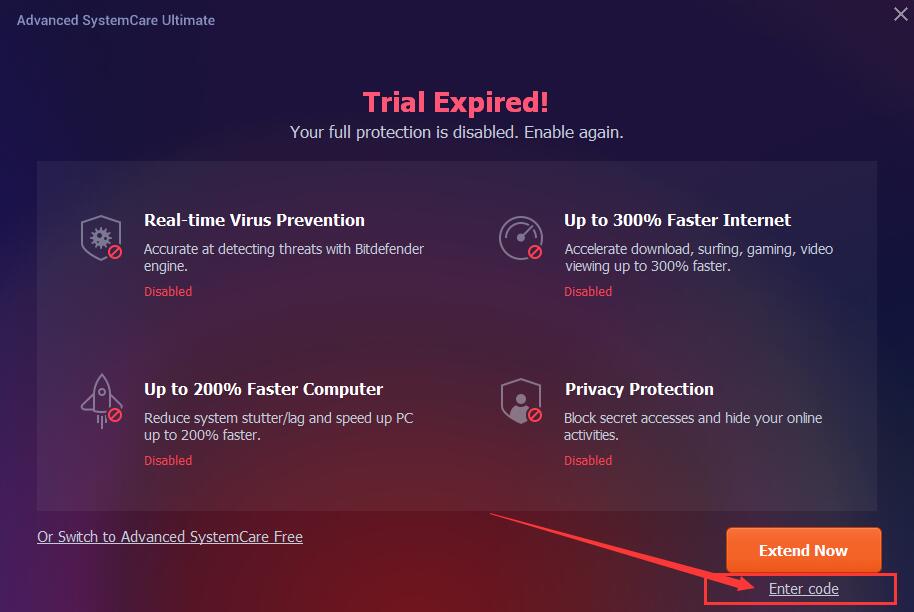
Step 1: If your Advanced SystemCare Ultimate has expired, you will get the following window when you try to open or use it. Please click the Already have a license code text link at the bottom right corner to open the registration window.
Please refer to the picture below:
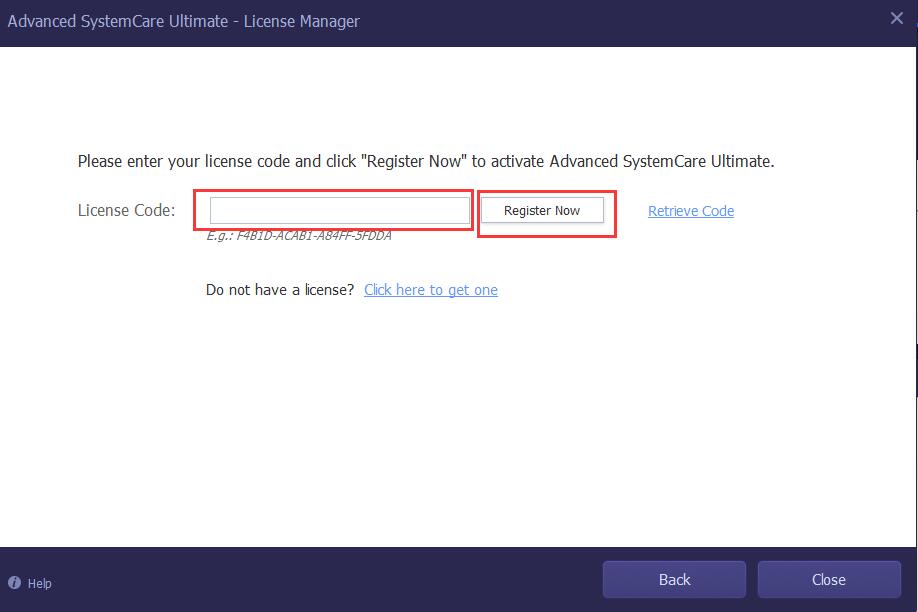
Step 2: Copy & Paste to enter your license code in the License Code box, and then click the Register Now button to activate Advanced SystemCare Ultimate.
Please refer to the pictures below:
How do I refresh my Advanced SystemCare Ultimate with my new/renewal license code?
Step 1: Open Advanced SystemCare Ultimate, and click the Options icon at top right of the main screen, and select My Subscription in the menu.
Please refer to the picture below:
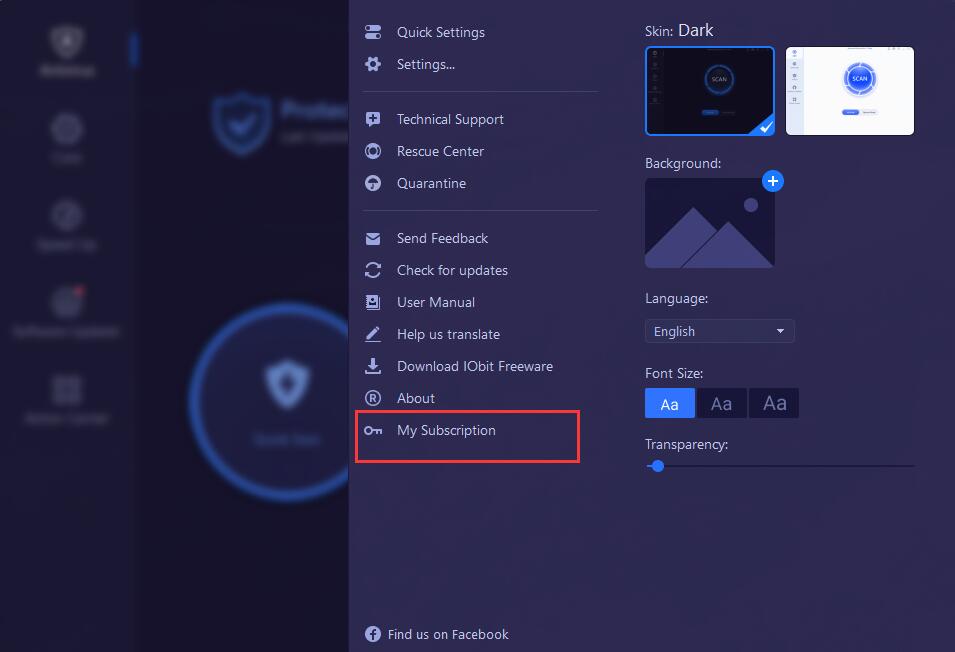
Step 2: Click the Refresh text link in the License Manager window to open the new registration window.
Please refer to the picture below:
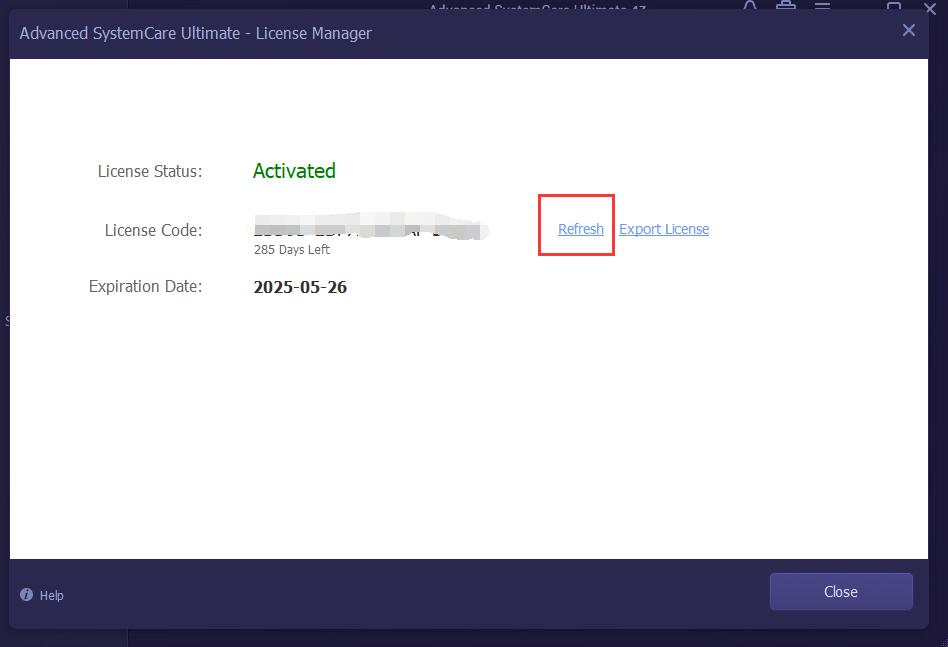
Step 3: Copy & Paste to enter your license code and click the Register Now button to refresh the new service time.
Please refer to the picture below: